You .
Nod with your AirPods: your set is done and your rest timer starts automatically. Your phone stays in your pocket.
Download on the App StoreFree. No account, ads or subscriptions.
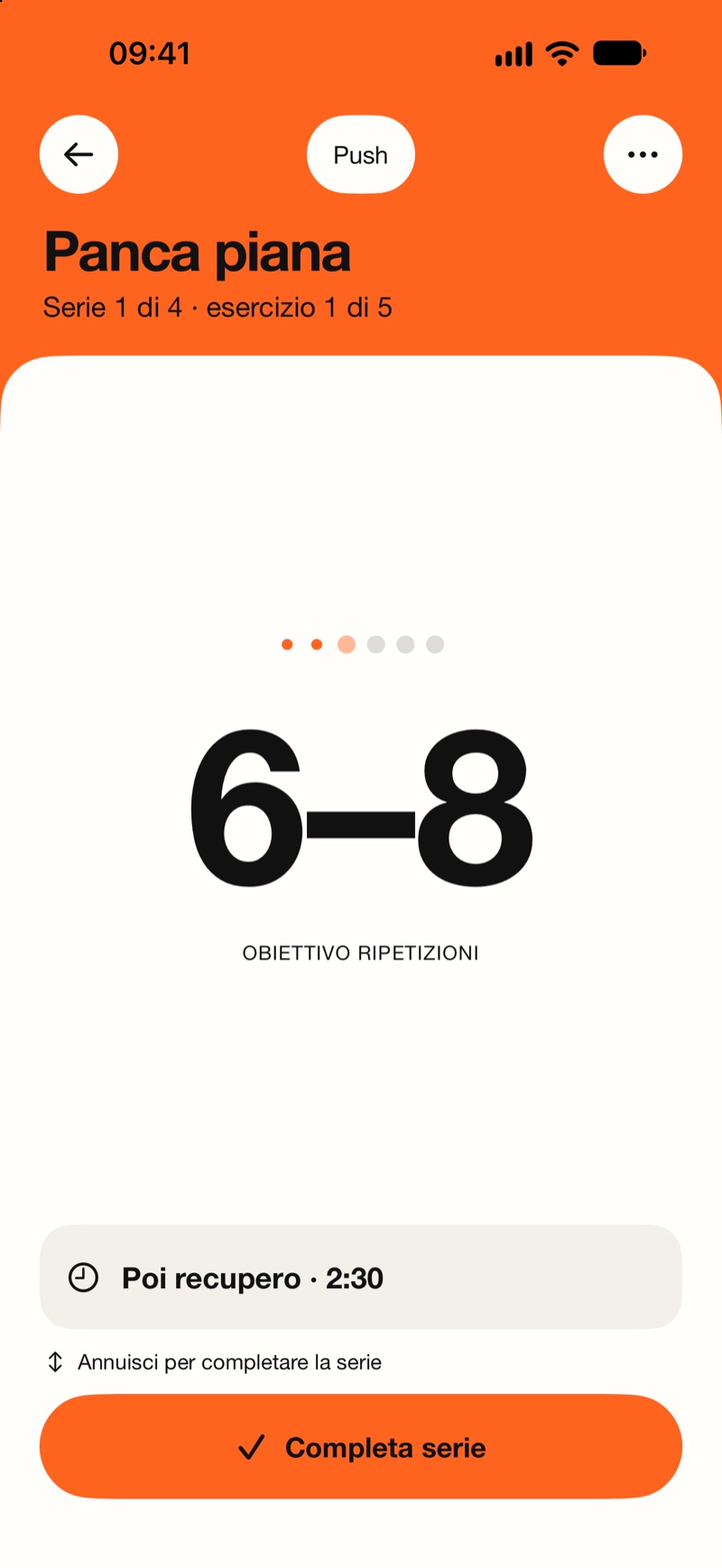
Nod with your AirPods: your set is done and your rest timer starts automatically. Your phone stays in your pocket.
Download on the App StoreFree. No account, ads or subscriptions.
Follow your workout plan or start a free workout.
Nod with your AirPods to finish your set without touching your phone.
The timer starts automatically. A voice in your headphones tells you when to go again.
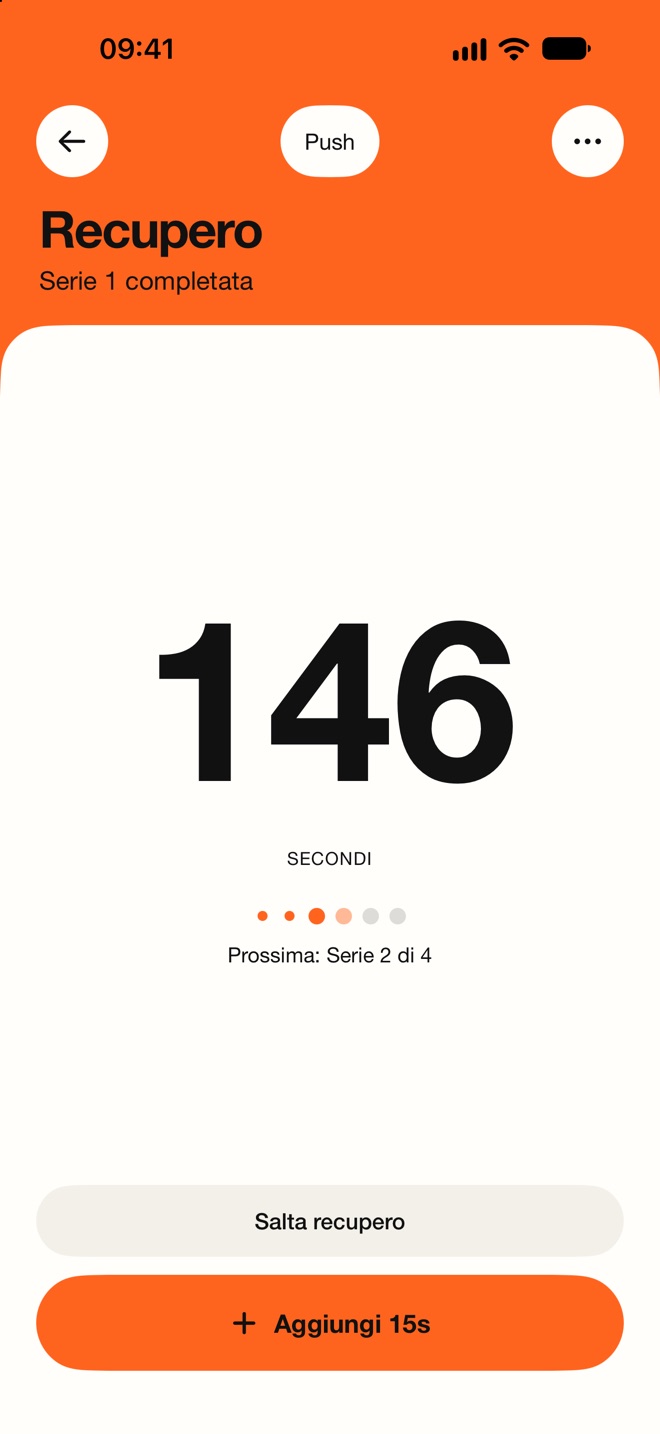
Even with your screen locked and music playing, a sound and voice cue tell you when it’s time.
On-device AI
Import a photo, a PDF or the text of your workout plan. NodLift recognizes exercises, sets, reps and rest times. Review the result before saving.
Recognition happens on your iPhone. Your workout plan is never sent to external servers.
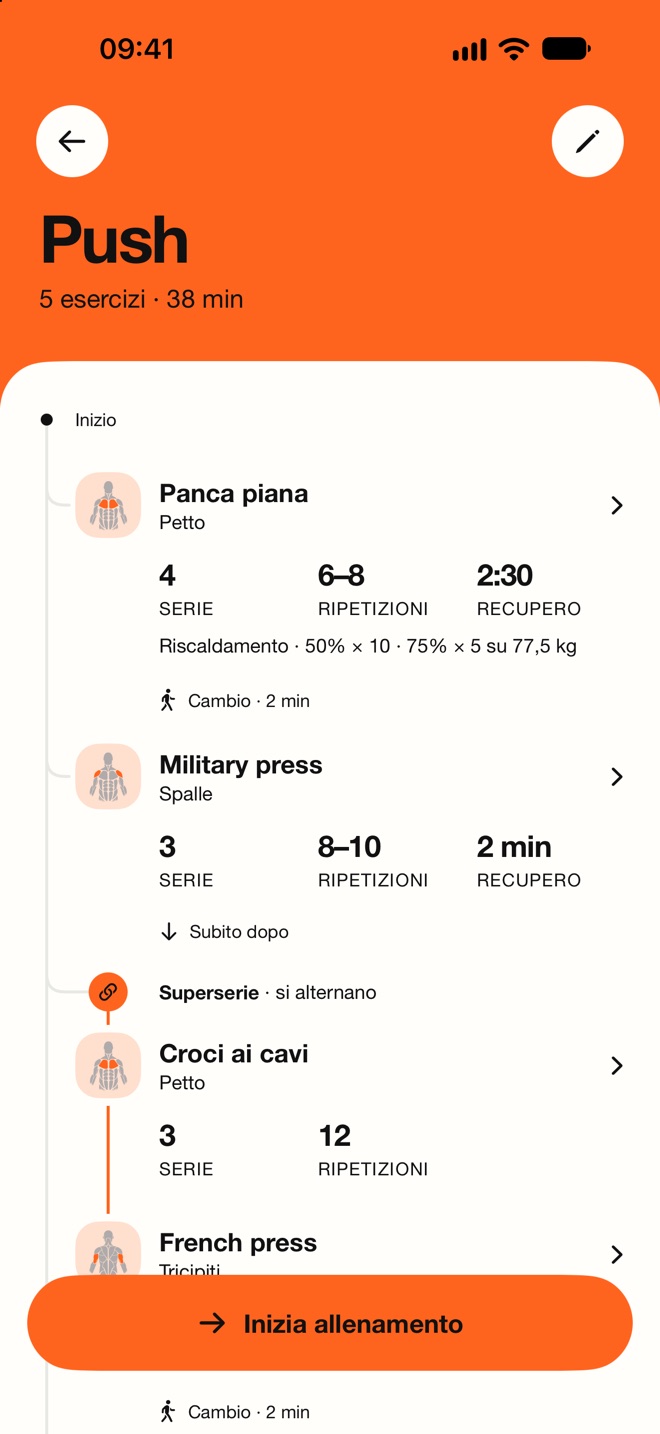
Exercises, sets, reps and rest times. Warm-up sets and supersets included.
Widgets
Your plan on your Home Screen. Sets and rest times on your Lock Screen. Start your workout, follow the timer and see today’s summary with widgets.
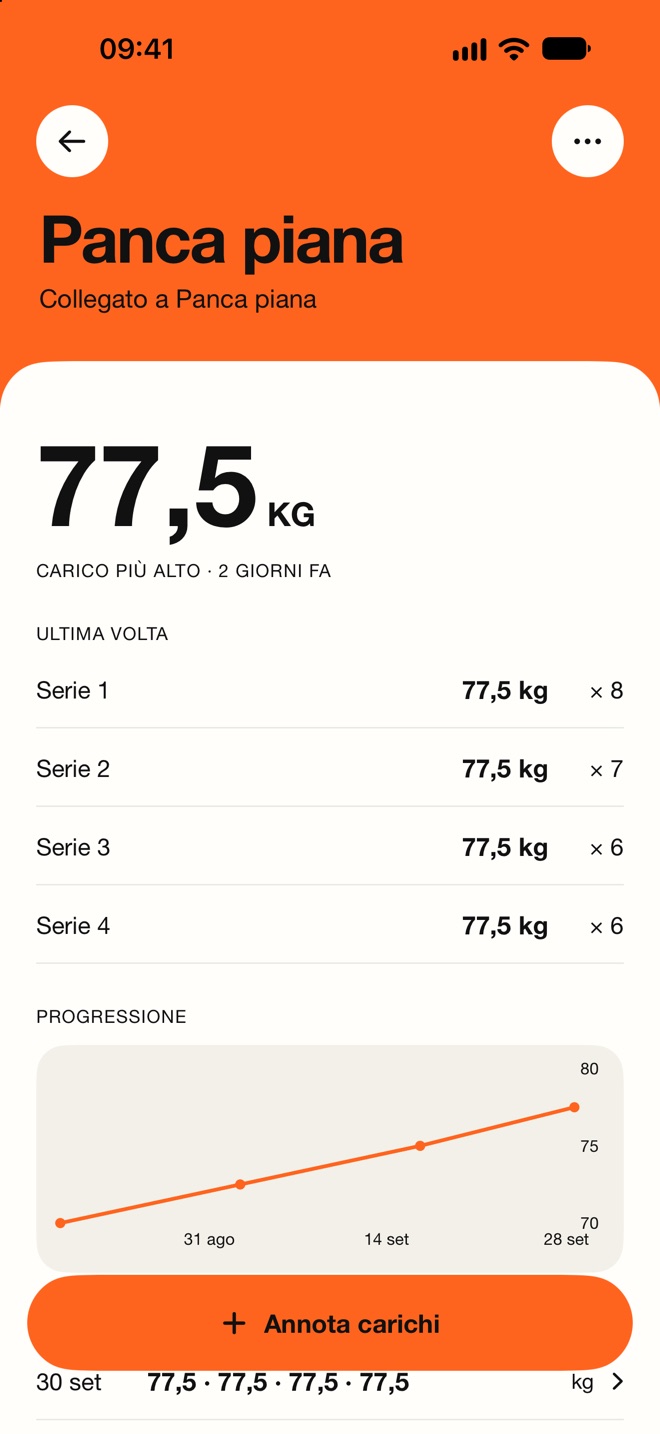
Log what you lift, set by set, and find it again at your next workout.
A nod with your AirPods, the volume buttons, the Action button, Siri or a tap on Apple Watch.
NodLift is an app for iPhone and Apple Watch that manages sets and rest times at the gym. Finish a set with a nod using your AirPods, and the rest timer starts automatically. A sound and voice cue in your headphones tell you when to go again, so your phone stays in your pocket.
NodLift is free: no subscriptions, ads or account needed.
On iPhone with iOS 18 or later and Apple Watch with watchOS 11 or later. Head gestures require AirPods Pro, AirPods (3rd generation or later) or AirPods Max.
No. Head gestures require AirPods Pro, AirPods (3rd generation or later) or AirPods Max. Without them, finish a set using the volume buttons, the Action button, Siri, Apple Watch or the on-screen button.
Yes. Lock your iPhone and put it in your pocket: NodLift manages sets, rest times and alerts, even with music playing. Keep the app running; force-quitting it from the app switcher ends your workout.
Yes. Import a photo, a PDF or text, then review exercises, sets, reps and rest times before saving. On-device AI requires iOS 26 or later, a compatible iPhone and Apple Intelligence enabled, with its model downloaded. When AI is unavailable, NodLift recognizes common formats locally: your plan is never sent to external servers.
Add the NodLift widget to your Home Screen or Lock Screen. Choose a workout plan, start your workout, see active sets and rest times, and view today’s summary. The larger Home Screen widgets also let you finish a set or skip a rest.
Yes. NodLift is available in English and Italian, including its interface, voice cues and notifications. Choose your language in Settings → Language in the app. To set the language for widgets, Live Activities, Siri and Apple Watch too, follow the instructions on the Support page.
Workout plans, weights and history stay on your devices: NodLift has no server and uses no analytics. AI import is also processed on your iPhone: photos, PDFs and text are never sent to external servers for recognition. You can choose to save workouts to Apple Health.
Email support@nodlift.it or visit the Support page.